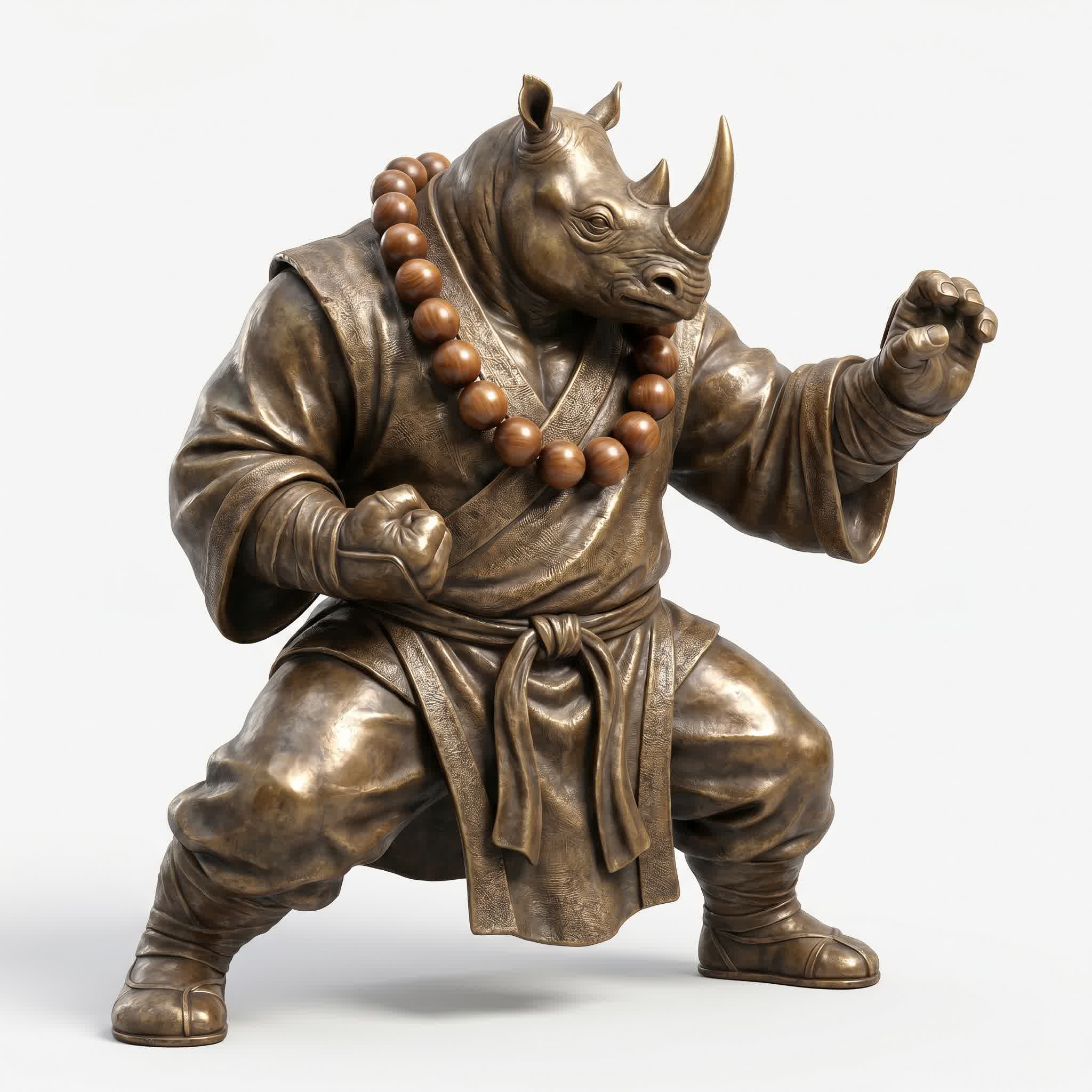
The 3D AI revolution has a new king. With over 1 million active users, more than 10 million 3D models generated, and a 4.8/5 rating on both G2 and Trustpilot, Meshy AI has become the most widely adopted AI 3D model generator on the planet.
And in 2026, with the release of Meshy v6, the platform has taken a massive leap forward — delivering refined geometry, sharper hard surfaces, a dedicated Low Poly Mode for game developers, multi-color 3D printing support, and a redesigned API that makes integration easier than ever.
Whether you're a game developer racing toward a deadline, a product designer exploring concepts, or a complete beginner who's never opened a 3D app in their life, Meshy promises to turn your ideas into ready-to-use 3D assets in minutes. In this deep dive, we'll put that promise to the test.
⚡ TL;DR: Meshy AI is the world's most popular AI 3D model generator with 1M+ users. Supports text-to-3D, image-to-3D, AI texturing, auto-rigging, 500+ animation presets, and bulk generation. Meshy v6 adds refined geometry, Low Poly Mode, and multi-color 3D printing. Free tier available. Pro plan starts at $29/mo.
What Is Meshy AI?
Meshy AI (meshy.ai) is a browser-based AI 3D model generator that converts text descriptions and images into fully textured, production-ready 3D assets. Founded in 2023, Meshy Inc. has grown at breakneck speed to become the most recognized name in AI-powered 3D content creation.
The platform offers a complete 3D creation pipeline:
- Text to 3D — generate models from written descriptions
- Image to 3D — convert single or multiple images into 3D
- AI Texturing — apply PBR materials to any model using text prompts
- Rigging & Animation — auto-rig characters with 500+ animation presets
- 3D to Video — create cinematic turntable and walk-cycle videos
- Smart Remesh — optimize topology for any target platform
Unlike traditional 3D software that requires years of training, Meshy runs entirely in your browser. No download, no installation, no steep learning curve. It's 3D creation for the rest of us — and increasingly, for professionals too.
Meshy v6: What's New in 2026
Released in January 2026, Meshy v6 (officially Meshy-6) is the platform's most significant update yet. Here's what changed:
Refined Geometry for Characters & Organics
Previous versions of Meshy sometimes struggled with organic forms — characters could come out with lumpy proportions and messy topology. v6 addresses this with significantly improved geometry for characters and organic models. Faces are more anatomically correct, limbs have better topology for rigging, and the overall silhouette is cleaner. If you tried Meshy before and were disappointed with character quality, v6 is worth a second look.
Enhanced Hard Surface Quality
On the flip side, mechanical and geometric models now feature sharper edges, clearer silhouettes, and more precise angles. Vehicles, weapons, architectural elements, and industrial objects benefit from this upgrade. The difference is immediately noticeable in side-by-side comparisons with v5.
Low Poly Mode
This is a big one for game developers. The new Low Poly Mode generates models with clean polygon flow and optimized vertex counts specifically designed for real-time engines. Instead of generating a high-poly mesh and needing to retopologize manually, you get a game-ready low-poly asset from the start. It exports cleanly into Unity and Unreal Engine without additional optimization work.
Multi-Color 3D Printing Support
For the 3D printing community, Meshy v6 adds native support for multi-color printing workflows. Models can be generated with color information preserved across the export pipeline, making it possible to send designs directly to multi-material printers.
Expanded API
The Meshy API v6 includes an interactive playground, new image generation endpoints, and support for concurrent batch processing of up to 50+ tasks simultaneously. For studios running automated asset pipelines, this is a significant productivity boost.
Meshy AI Features — Full Breakdown
Text to 3D Model
Meshy's text-to-3D pipeline is the core of the platform. Type a description like "a medieval knight with ornate silver armor, a red cape, and a broadsword" and Meshy generates a fully textured 3D model in about a minute.
The system supports multiple AI model versions — Meshy 4, 5, and the latest Meshy 6 — letting you balance speed against quality. The text understanding has improved dramatically with v6, with better adherence to complex prompts and fewer hallucinated details.
Generation happens in stages: first a base mesh, then AI-generated PBR textures (diffuse, roughness, metallic, normal maps), and finally optional rigging and animation. You can intervene at any stage to refine the result.
Image to 3D
Upload a reference image and Meshy reconstructs it as a textured 3D model in about a minute. The image-to-3D pipeline supports:
- Single image — one photo generates a full 3D model
- Batch mode — upload up to 10 images at once for bulk generation
- Multi-view enhancement — AI generates additional angles for better reconstruction
- Image enhancement — automatic cleanup of input images
Output quality depends heavily on the input image quality. Clean, well-lit photos with clear silhouettes produce the best results. For e-commerce product catalogs, this feature alone can replace weeks of manual modeling work.
AI Texturing
Meshy's AI texturing tool lets you apply PBR materials to any model — whether it was generated in Meshy or imported from elsewhere. Describe the material you want ("weathered bronze with green patina") and the AI generates matching texture maps.
The texturing supports Base Color, Normal, Roughness, and Metallic maps — the full PBR workflow. You can also upload reference images for texture style transfer. This is particularly useful for updating existing assets to match a new art style.
Rigging & Animation
One of Meshy's standout features is its automatic rigging and animation system. With a single click, you can:
- Auto-rig a character with clean skeletal weights
- Apply animations from a library of 500+ presets
- Export fully animated characters to Unity, Unreal, or any game engine
The animation library covers walks, runs, jumps, attacks, idle poses, combat stances, dance moves, and more. For indie developers without dedicated animators, this is a massive time saver. A character that would take a week to model, texture, rig, and animate manually can be generated and animated in Meshy in under 10 minutes.
3D to Video
This feature generates cinematic video renders of your 3D models — turntable spins, walk cycles, and custom camera paths. It's perfect for portfolio showcases, product marketing, and social media content. The output quality is impressive, with proper lighting and material rendering.
Smart Remesh
Meshy's remeshing tool lets you adjust polygon counts on the fly, switch between triangle and quad topology, and optimize models for specific platforms. You can dial in anything from 1,000 to 300,000 polygons depending on your target use case. The remeshing preserves surface detail surprisingly well even at lower poly counts.
Bulk Generation
For production pipelines, Meshy supports concurrent generation of up to 50+ tasks simultaneously. This means you can queue up an entire environment's worth of assets and let Meshy work through them in the background. The Pro plan supports 10 concurrent tasks, with Enterprise plans handling more.
Meshy AI Pricing
| Plan | Free | Pro | Enterprise |
| Price | $0 | $29/mo | Custom |
| Monthly Credits | 100 | 1,000 | Custom |
| Downloads | 10/mo | Unlimited | Unlimited |
| AI Texturing | ✓ | ✓ | ✓ |
| Animation | ✗ | ✓ | ✓ |
| API Access | ✗ | ✓ | ✓ |
| Concurrent Tasks | 1 | 10 | 50+ |
The free plan is generous enough for evaluation — 100 monthly credits and 10 downloads. Pro at $29/month is the sweet spot for most creators, offering 1,000 credits, unlimited downloads, animation, and API access. Enterprise plans include custom credit pools, dedicated support, and higher concurrency limits.
Note that Meshy v6 tasks cost more credits per generation (20-30 credits vs 5-15 for earlier versions), reflecting the higher quality output. Factor this into your budget planning.
Meshy vs Tripo vs Rodin vs Hunyuan
We've covered all the major AI 3D generators on this blog, so let's see how Meshy stacks up against the competition:
| Category | Meshy AI | Hyper3D Rodin | Tripo 3D | Hunyuan 3D |
| Generation Speed | ~60 sec | ~30-120 sec | 2 sec | ~90 sec |
| Max Polygons | ~600K faces | ~200K faces | 2M | 1.5M |
| Animation Library | 500+ presets | Not available | Auto-rig only | Not available |
| Bulk Generation | 50+ concurrent | Limited | Limited | Not available |
| Low Poly Mode | Dedicated mode | Poly control | P1.0 Smart Mesh | PolyGen mode |
| 3D to Video | Built-in | Not available | Not available | Not available |
| Export Formats | FBX, GLB, OBJ, STL, USDZ, BLEND, 3MF | GLB, FBX, OBJ, USD | GLB, OBJ, FBX, USD | GLB, OBJ |
| Free Tier | 100 credits/mo | 7-day trial | Limited free | Open source |
| Starting Price | $29/mo | $24/mo | ~$20/mo | Free (self-host) |
Each tool has strengths. Meshy leads in animation, bulk generation, and user base. Tripo wins on raw speed. Rodin offers the most editing control. Hunyuan is the only fully open-source option. For most creators, Meshy is the best all-around choice — but power users will want all four in their toolkit.
Who Is Meshy AI For?
Game Developers
This is Meshy's core audience. The Low Poly Mode, animation library, bulk generation, and direct game engine exports make it a natural fit for indie studios and solo developers. A single developer can now generate, rig, and animate an entire character roster in a day — a task that would take a team weeks with traditional tools.
Product Designers
The image-to-3D pipeline is a game-changer for product visualization. Upload a product photo and get a 3D model ready for interactive web viewers, AR shopping experiences, or marketing materials. The batch mode is especially useful for e-commerce catalogs at scale.
3D Printing Enthusiasts
With STL, 3MF, and OBJ export plus multi-color printing support, Meshy is increasingly popular in the 3D printing community. The text-to-3D capability lets makers go from idea to physical object without any 3D modeling skills.
Educators & Students
Meshy's browser-based, no-install approach makes it ideal for educational settings. Students can focus on design thinking and creativity rather than fighting with software interfaces. The free tier is generous enough for classroom use.
Real-World Results: What We Actually Generated
We put Meshy v6 through its paces with a series of test prompts. Here's what we found:
Text to 3D — "A stylized anthropomorphic tiger warrior"
The generated model showed significant improvement over v5. The anatomy was more natural, the facial structure was clean, and the PBR textures were well-applied. The model required minimal cleanup before being game-ready. Generation took about 45 seconds.
Image to 3D — Product photo to 3D model
A clean product photo converted to a usable 3D model in under a minute. The AI handled background removal automatically, and the texture quality was good enough for e-commerce use. Batch mode processed 10 images in about 8 minutes total.
Animation — Auto-rig and walk cycle
This is where Meshy genuinely shines. A bipedal character generated in Meshy was auto-rigged and animated with a walk cycle in about 30 seconds. The animation was smooth and the skin weights were well-distributed. For indie game developers, this feature alone is worth the subscription price.
🎯 Pro workflow: Use Meshy's bulk generation to create a library of base assets. Export to GLB, import into Blender for any custom refinements, then use Meshy's AI texturing to apply consistent PBR materials across your entire asset set. For characters, use the auto-rigging and animation library to get them game-ready in minutes.
How to Get Started with Meshy AI
Getting started takes less than a minute:
- Visit meshy.ai and create a free account
- Choose Text to 3D or Image to 3D
- Enter your prompt or upload your image
- Select your AI model version (Meshy 4, 5, or 6)
- Click Generate and wait ~30-60 seconds
- Preview, refine, texture, rig, and export
The free plan gives you 100 credits to explore. Most generations cost 5-30 credits depending on the model version and complexity. The learning curve is essentially zero — if you can write a sentence, you can create a 3D model.
Limitations to Consider
No tool is perfect, and Meshy has its limitations:
- Results vary — complex or highly specific prompts can produce inconsistent results. You may need multiple attempts to get exactly what you want.
- Credit costs are rising — Meshy v6 generations cost 20-30 credits vs 5-15 for earlier versions. Heavy users will need the Pro plan.
- Free tier restrictions — 10 downloads per month and CC BY 4.0 licensing on free plan limit commercial use without attribution.
- Not a Maya/Blender replacement — for bespoke, highly specific models, traditional 3D software is still necessary. Meshy excels at rapid generation and iteration, not precision modeling.
The Verdict: Is Meshy AI Worth It in 2026?
Yes — especially for game developers and rapid prototyping.
Meshy AI has earned its position as the world's most popular AI 3D model generator through a combination of accessibility, consistent improvement, and a genuinely useful feature set. The v6 update addresses many of the quality criticisms that plagued earlier versions, and the animation pipeline is genuinely impressive.
For indie game developers, Meshy is arguably the best value in 3D creation today. The combination of text-to-3D generation, auto-rigging, 500+ animation presets, and bulk processing at $29/month is hard to beat. For e-commerce teams, the image-to-3D batch pipeline can replace weeks of manual modeling work.
Where Meshy still falls short is in precision and consistency. It's an 80% tool — it gets you 80% of the way to a production-ready asset, but the final 20% may require manual refinement in Blender, Maya, or ZBrush. That said, getting 80% of the work done in minutes instead of days is a trade-off most creators are happy to make.
In a field that's evolving at breakneck speed, Meshy's rapid iteration cycle (v4, v5, v6 all within ~18 months) and massive user community give it staying power. It's not the fastest AI 3D tool (Tripo holds that crown) and it's not the most controllable (Rodin wins there), but it is the most complete, accessible, and widely trusted option for creators who just want to make things.
Meshy has become the people's AI 3D tool — not because it's the best at any one thing, but because it's good enough at everything that a million creators trust it to bring their ideas to life.